
Choose who can fly which aircraft
For: Hangar admins
adminEvery member may fly every aircraft in the hangar until you say otherwise. You can narrow that per person, and it applies to every role – mechanics and admins included.
Limit someone to some aircraft
Section titled “Limit someone to some aircraft”- Open Hangar settings and choose the Members tab.
- Press ⋯ at the end of their row and select Aircraft access….
- Turn off All aircraft.
- Tick each aircraft they may fly.
- Press Save.
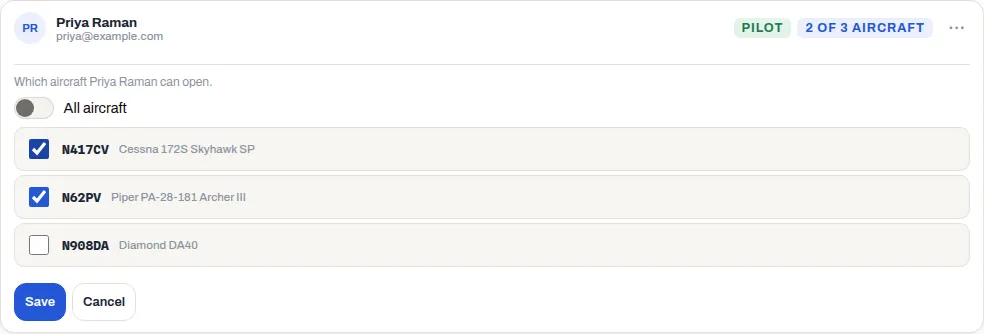
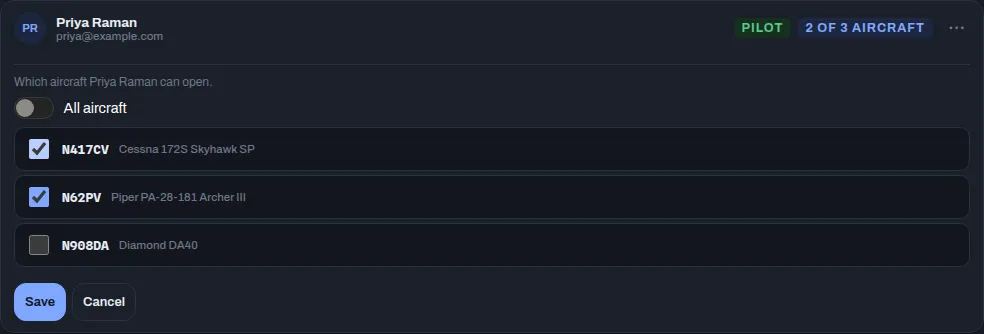
Their row now shows how many aircraft they have, such as 2 of 3 aircraft, instead of All aircraft.
To give someone the whole fleet back, open Aircraft access… again, turn All aircraft on and press Save. All aircraft also covers any aircraft you add later; a list of ticked aircraft doesn’t, so remember to tick a new aircraft for the people who should fly it.
What the member notices
Section titled “What the member notices”They still see every aircraft in the hangar – in the aircraft picker and on the schedule – because knowing when the other aircraft are busy is useful to everyone. But an aircraft they don’t have access to is grayed out and marked no access in the picker, and they can’t open it, book it, log a flight in it or add squawks to it. See Seeing an aircraft vs. flying it.
They also stop getting that aircraft’s notifications: flights, squawks, oil and inspection alerts, and schedule alerts about it.
Changing someone’s access doesn’t cancel bookings they already hold on an aircraft you’ve taken off their list. Cancel those yourself if they shouldn’t fly it.
If something goes wrong
Section titled “If something goes wrong”- There’s no Aircraft access… in the menu. The hangar has no active aircraft yet. Add one first – see Add or retire an aircraft.
- “Nothing selected — they won’t be able to open any aircraft in this hangar.” You turned off All aircraft without ticking anything. If you save it like that, all they see when they sign in is No aircraft available. Tick at least one aircraft unless that’s what you mean.
- A member says “You don’t have access to this aircraft”. That’s this setting. See I can’t see or open an aircraft.