
Find a time
For: Pilots · Hangar admins
pilotadminavailability · open slot · when is it free · next free · search schedule · free time
When you need “two hours sometime next week”, Find a time answers it across every aircraft you can fly, instead of you paging through the days.
- Open Schedule and press Find a time at the top of the day view.
- Choose How long.
- Set From and Through. You can search up to 14 days at a time.
- If you fly more than one aircraft, the tail numbers under Planes narrow the search. All of them are on to start with.
- Press Find openings.
- Press Book next to the opening you want. The New reservation panel opens with that aircraft and time filled in. Add a Purpose if you like, adjust the times, and press Book it.
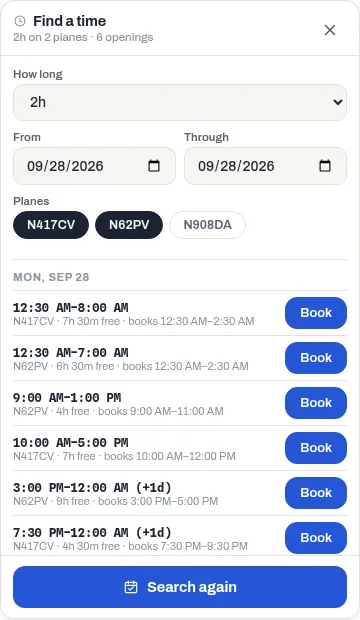
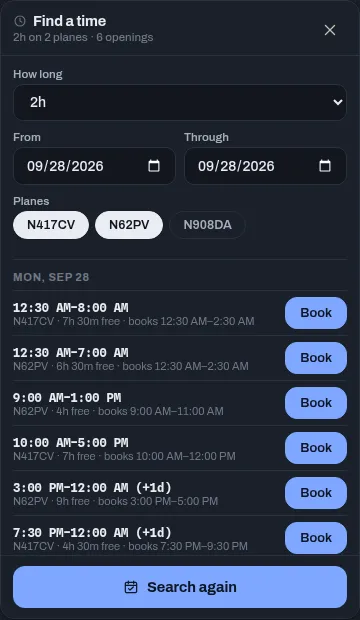
Openings are listed by day. Each row shows the free stretch, the tail number and how long it’s free (for example 3h free). When that’s longer than you asked for, it also says which part Book reserves, for example books 9:00 AM–11:00 AM: the start of the stretch. Move it later with Start in the next panel.
Only openings you’d actually be allowed to book are listed: the aircraft’s hours, the hangar’s notice and booking rules, and your own limits are all checked first.
If something goes wrong
Section titled “If something goes wrong”- “Search at most 14 days at a time.” Bring Through closer to From.
- “Nothing that long is open in that range. Try a shorter flight, more days, or another plane.” Also check that the aircraft you want is one you’re allowed to fly; others aren’t searched.
- The booking is refused after you press Book it. Find a time doesn’t hold anything, so someone may have booked it in the meantime, or you may have changed the times. The refusal says why. See Book an aircraft.
- A note says 200 starts were scanned (the cap). A long range with a lot of free time has more openings than one search returns, so free time late in the range may be missing. Narrow the range.