
Log an engine overhaul
For: Mechanics · Hangar admins
mechanicadminThe Engine overhauls screen (Engines on a multi-engine aircraft) shows each engine’s time since overhaul and its overhaul history. Log an overhaul when an engine is overhauled or exchanged, and RampMates starts counting that engine’s time again from that hobbs reading.
Mechanics and hangar admins log overhauls and edit the engine details. Pilots can see the screen but not change it.
Log an overhaul
Section titled “Log an overhaul”- In the sidebar, open Maintenance, then Engine. On a phone, press More, then Maintenance, then Engine.
- On a multi-engine aircraft, choose the engine at the top (Left and Right on a twin, Engine 1, Engine 2 and so on beyond that).
- Under Log an overhaul, check Hobbs at overhaul. It starts at the aircraft’s current hobbs; change it to the reading when the engine went in.
- Set Date performed.
- Add Notes, such as who overhauled it.
- Press Log engine overhaul (on a twin, Log left engine overhaul or Log right engine overhaul).
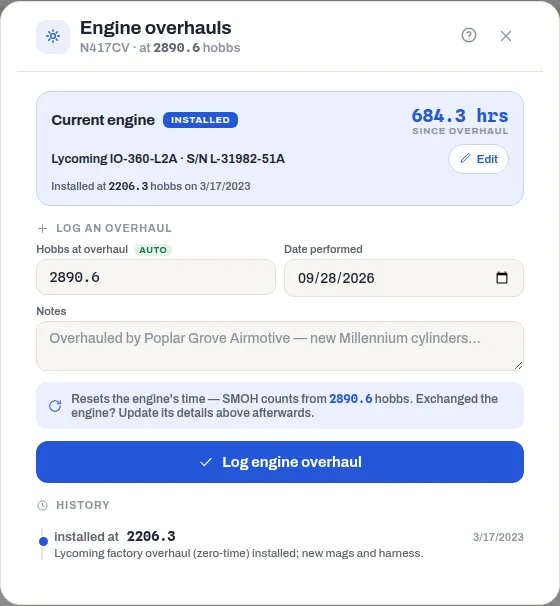
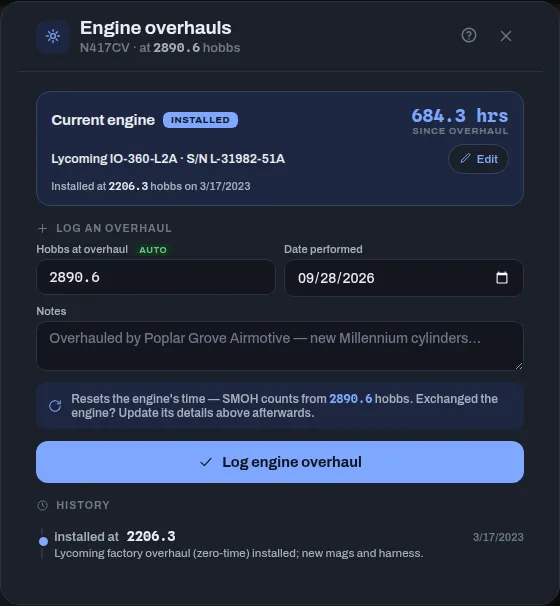
Since overhaul is the aircraft’s hobbs now minus the hobbs the engine went in at. Every engine counts against the aircraft’s one hobbs meter. The dashboard’s Engine hrs is that figure for the first engine.
Until an overhaul is logged, the screen says No overhaul on file — counting from the airframe’s total time., and Since overhaul is the aircraft’s whole hobbs reading.
Under History, each overhaul shows the hobbs it was installed at, and how long the engine before it ran (Previous install ran … hrs).
Record the engine’s make, model and serial
Section titled “Record the engine’s make, model and serial”- Under the time since overhaul, press Add details (or Edit if there are details already).
- Fill in Manufacturer, Model and Serial number.
- Press Save engine details.
When an engine is exchanged rather than overhauled, log the overhaul for the new engine, then edit the details to match it.
Change how many engines the aircraft has
Section titled “Change how many engines the aircraft has”A hangar admin sets Engines in the aircraft’s settings – see Aircraft settings. Each engine keeps its own details and history.
If something goes wrong
Section titled “If something goes wrong”“Engine 2 has overhauls logged, so the engine count can’t go below 2.” (with your engine’s number) – an engine with overhauls logged can’t be taken off the aircraft, since its history would have nowhere to show.
There’s no Log an overhaul form, or no Add details button – only mechanics and hangar admins can change the engine records. Ask one of them.